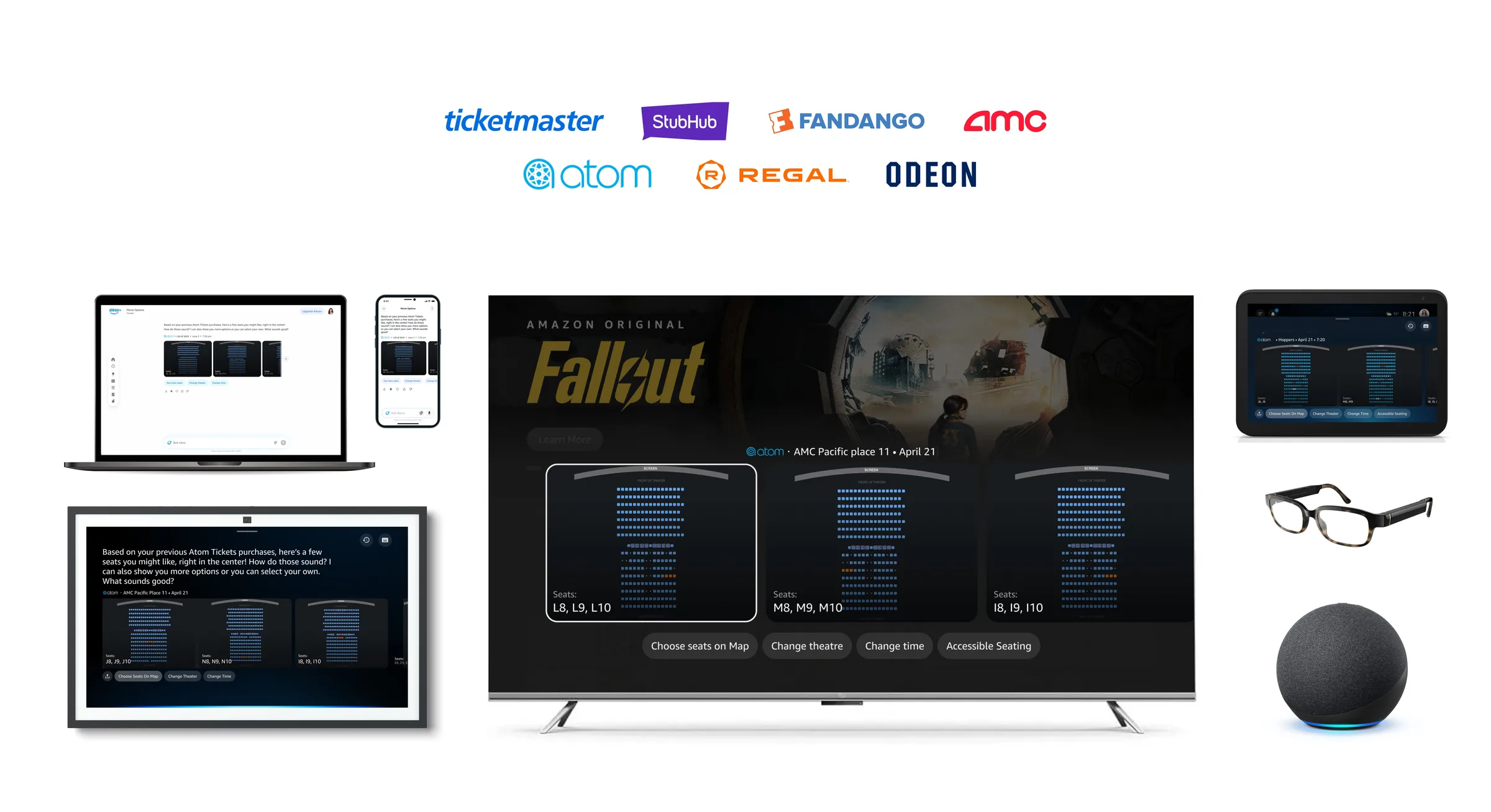
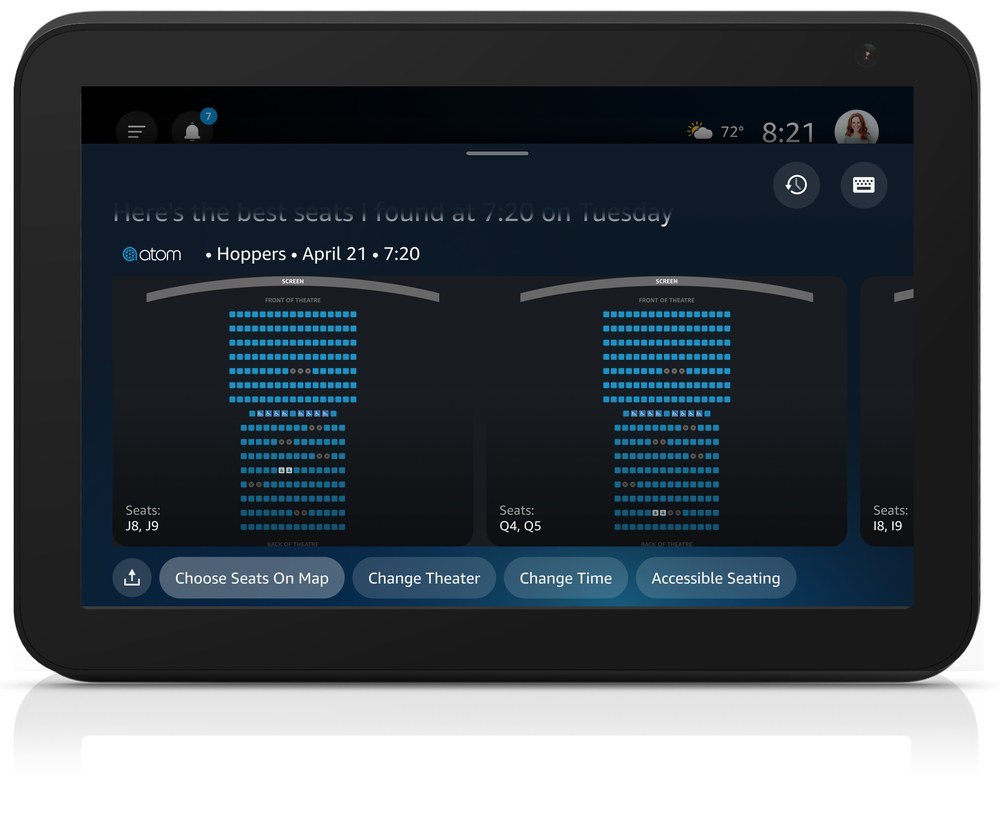
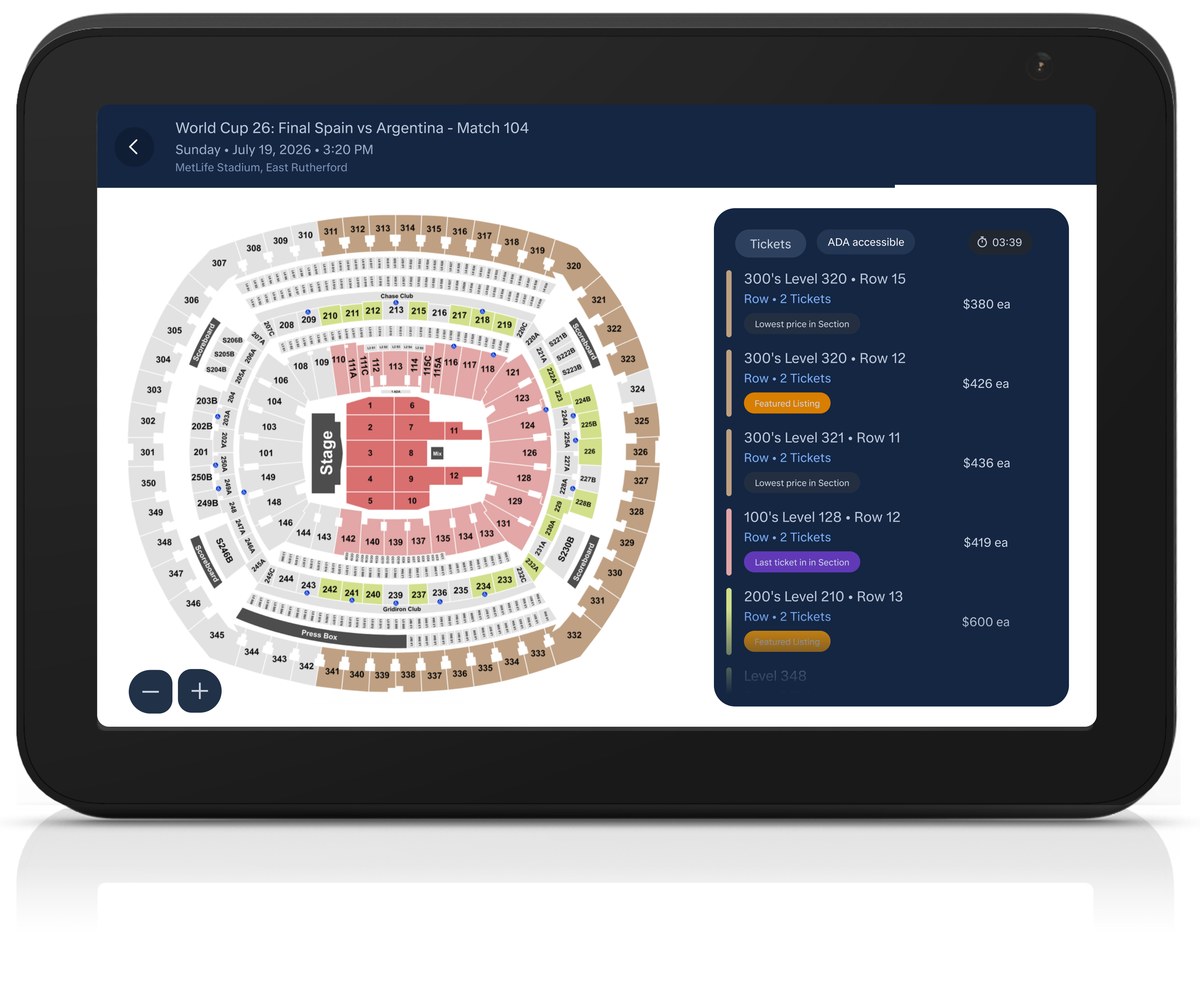
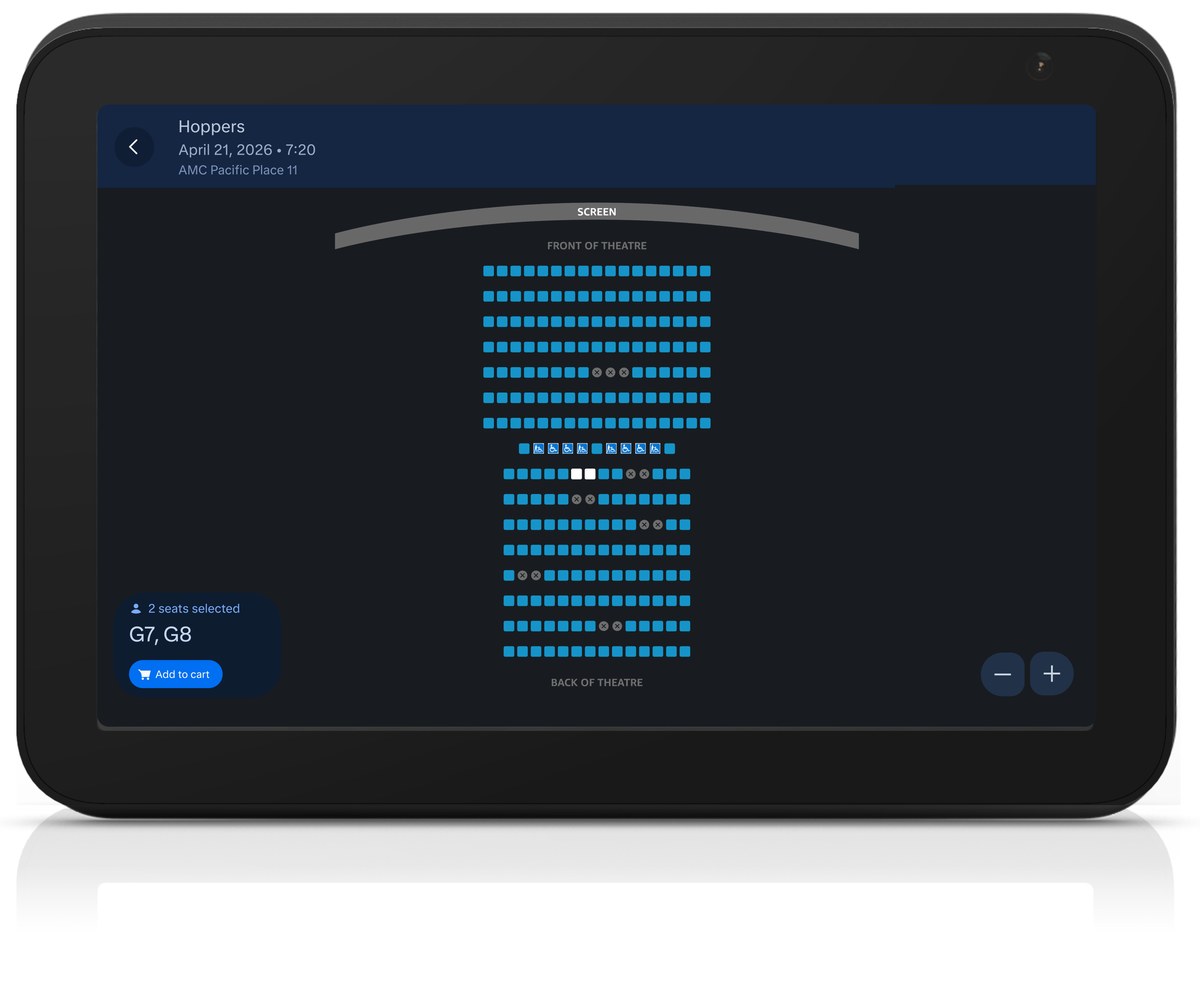
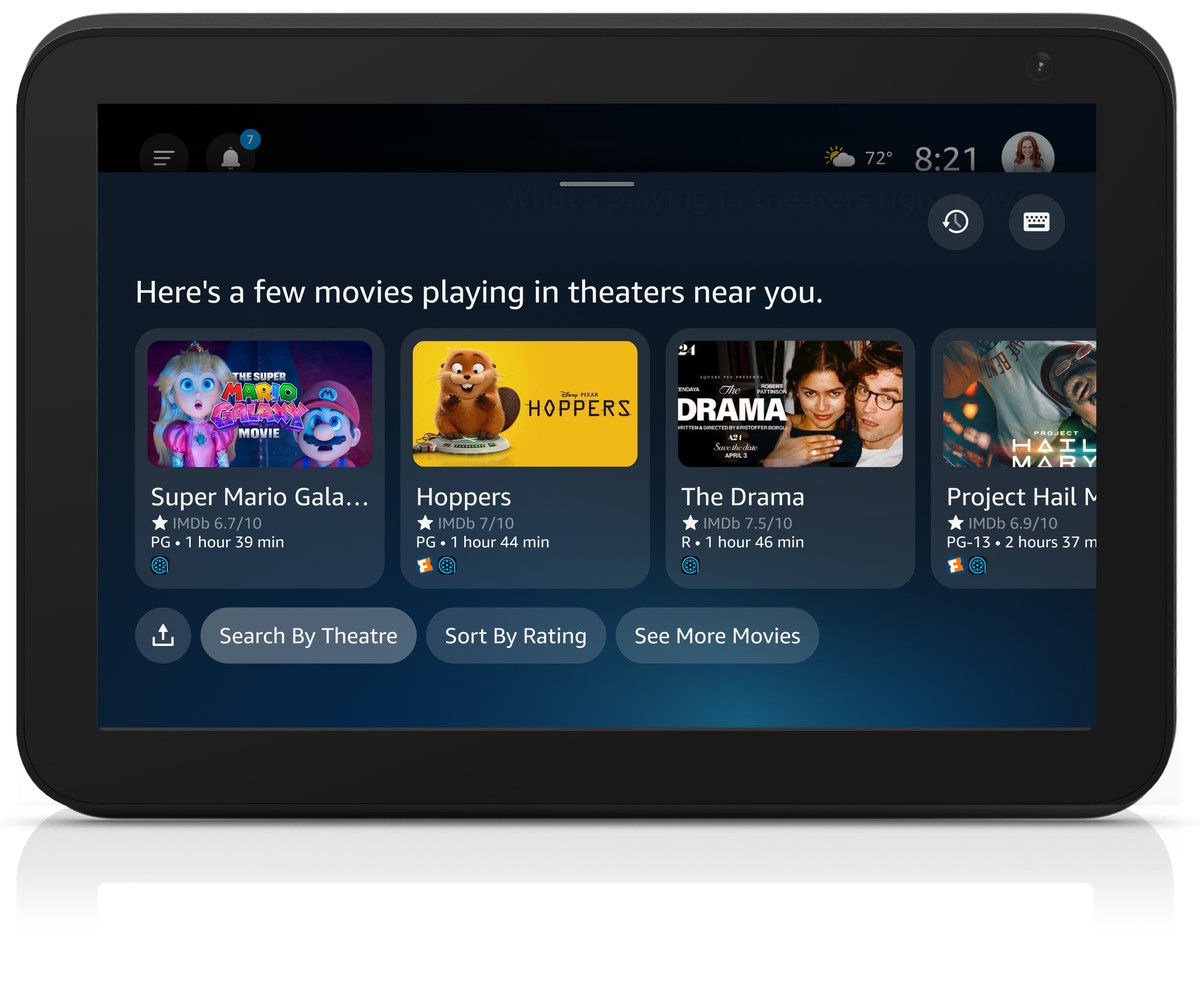
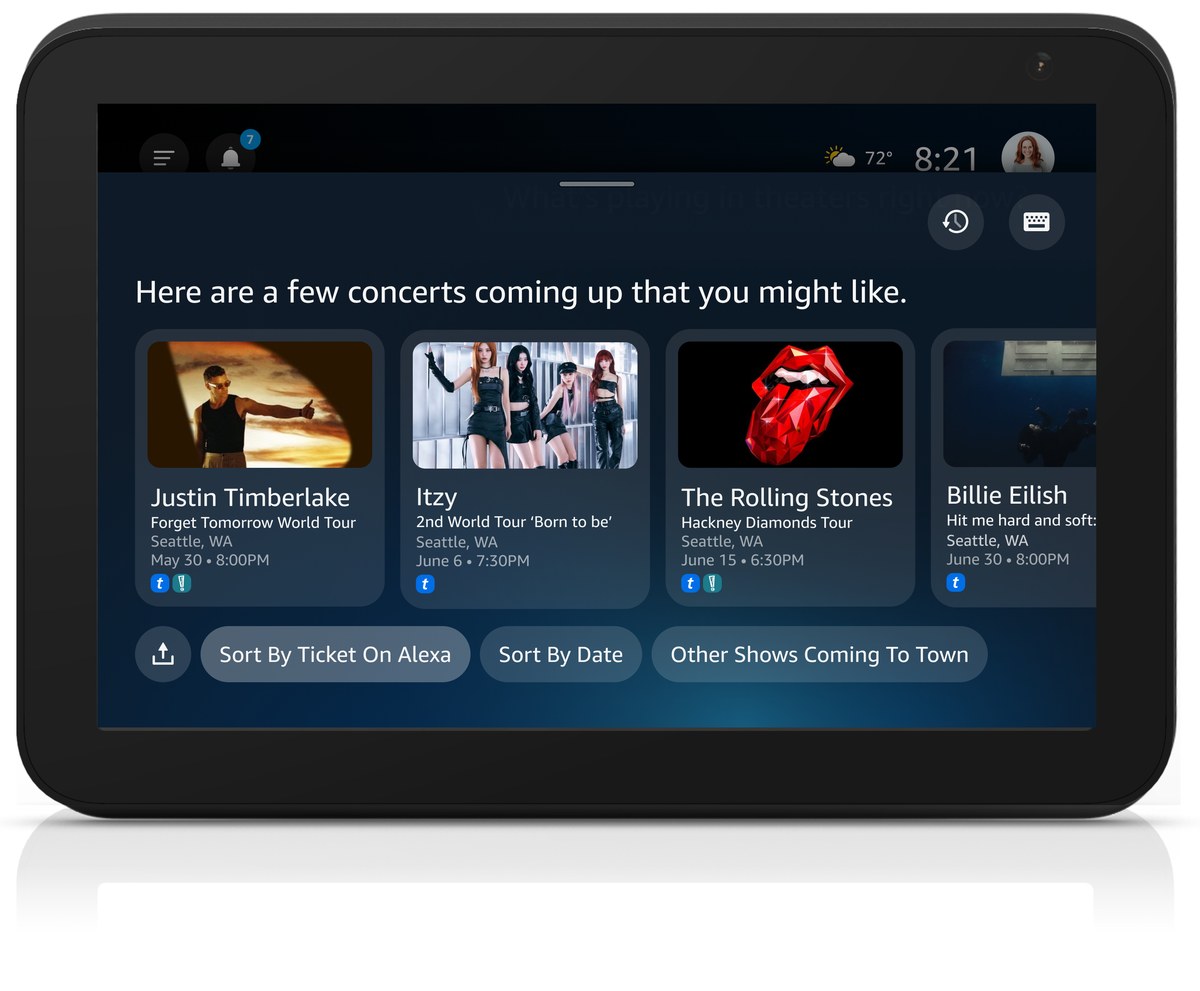
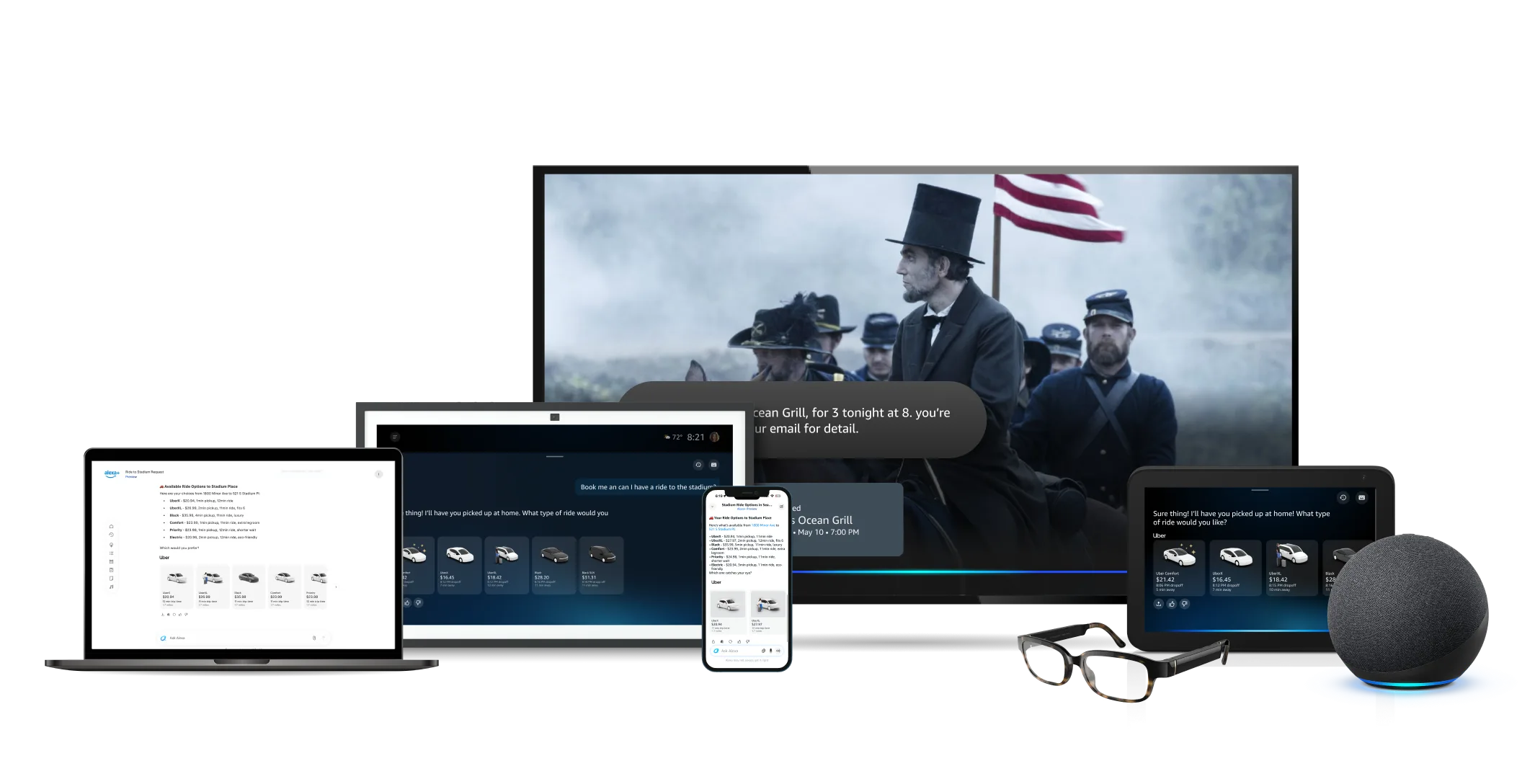
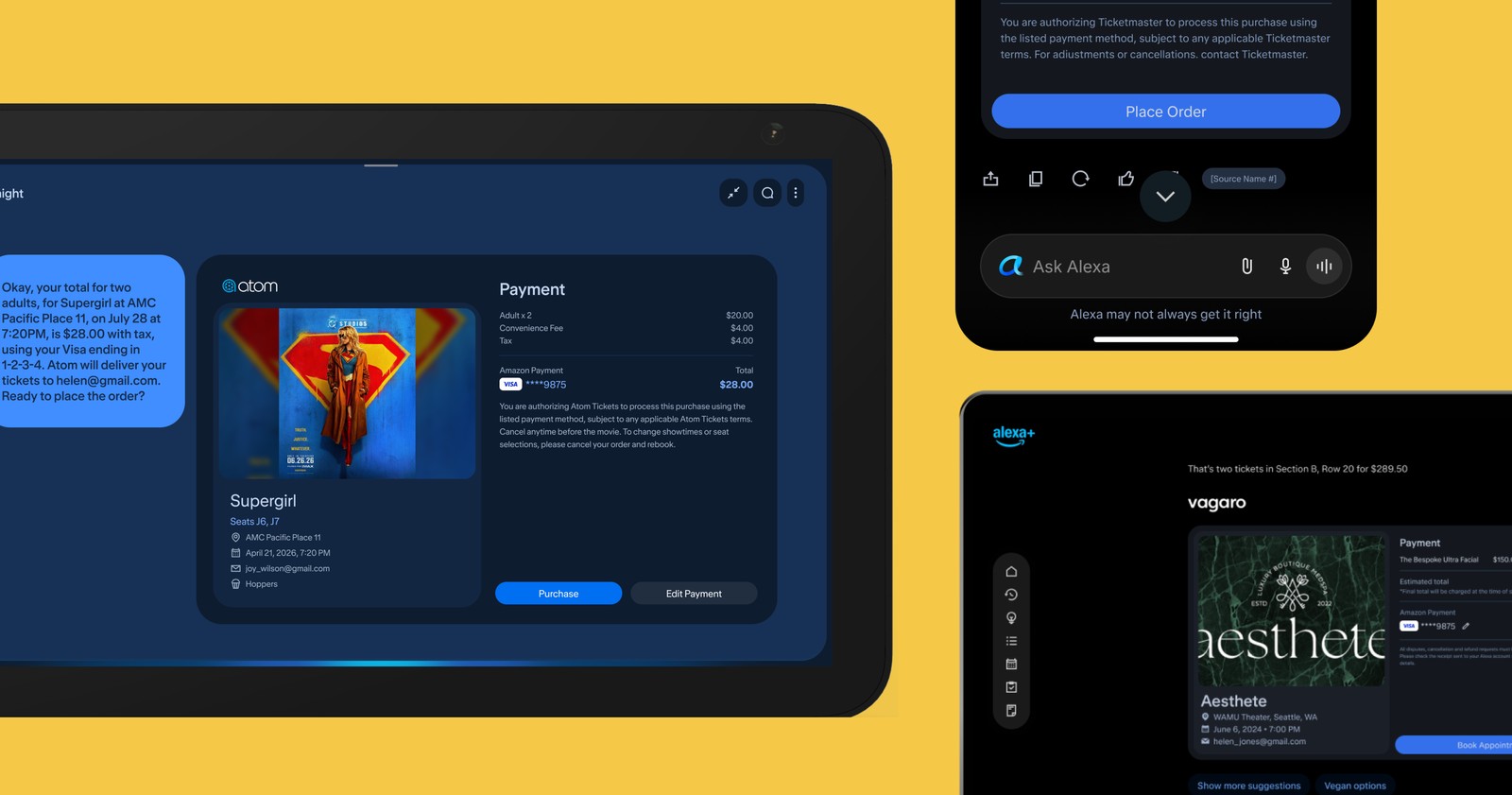
Find nearby showtimes, reserve concert tickets, and book local events hands-free on Alexa+.
Timeline
Design 3 weeks May 2024 - 2025 (paused) Feb 2026 - Ongoing (resumed)
My role
Lead designer User researcher
Scope
Template creation Conversational AI Multimodal interaction design System architecture integration
Team
Alexa experiences
Tools
Figma Figjam Claude
Overview
Solution
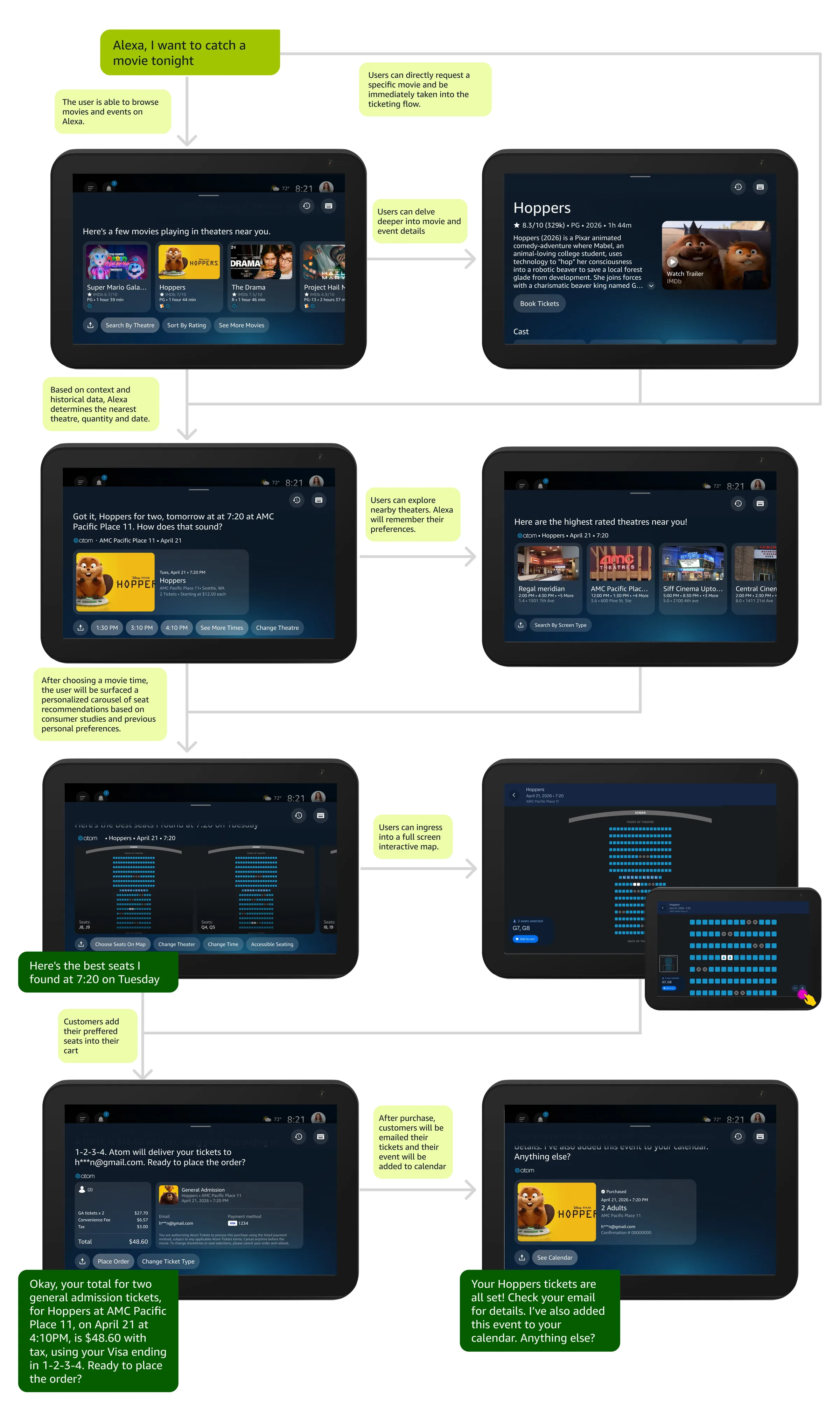
Movie and event ticketing started as two separate initiatives, but auditing both flows showed the same core steps: discovery, showtimes, seats and checkout. So I designed one flexible template for both, handling everything from a neighborhood movie to a stadium concert.
Better discovery, smarter seat selection, checkout that gets out of the way.
Alexa+ uses location, event data and past preferences to suggest relevant shows and pick great seats automatically, taking people from discovery to checkout in seconds.
Impact & Key Achievements
Nearly 3% organic conversion, on par with Ticketmaster's own web and mobile benchmarks.
Proved that high-friction purchases like seat selection can move out of a mobile app and into conversation.
Became a reusable framework as new ticketing partners come on board.
Event ticketing is live with Ticketmaster, and movie ticketing launched to beta customers with 2 partners in September 2026.
Voice handles simple requests well, but ticketing is detail-heavy: showtimes, prices, venue maps. The challenge was making a high-stakes checkout feel fast and natural.
Heavy Friction
Browsing showtimes, comparing prices and tapping through venue maps slowed booking.
Seating Sensitivity
People are picky about seats, so recommendations had to be good enough to trust.
Fragmented Systems
Movies and live events ran on different catalogs, risking inconsistent experiences.
Research and Testing
Methodology and Approach
Partners initially pushed for a fully automated seat pick to speed up checkout. My hypothesis: seat preferences are too personal to automate completely. To test it, I led a three-part study:
01
Literature Review
Consumer psychology, spatial seating habits and ticket pricing research.
02
Quantitative Prototype Study
64 moviegoers tested a Claude-powered prototype, with plenty of seats and with few left.
03
Ticketmaster RITE Study
3 cycles with 8 power users on next-gen Alexa, iterating until every critical issue was resolved.
Part 1: How people pick seats
Groups beat views:over 50% of patrons choose adjacent back-row seats over split front-row upgrades.
Context shifts choices: people spread out in empty theaters, but prioritize aisles once a venue is over 80% full.
Tiered pricing didn't help: AMC's abandoned Sightline program added friction without changing behavior.
Part 2: Testing a live prototype
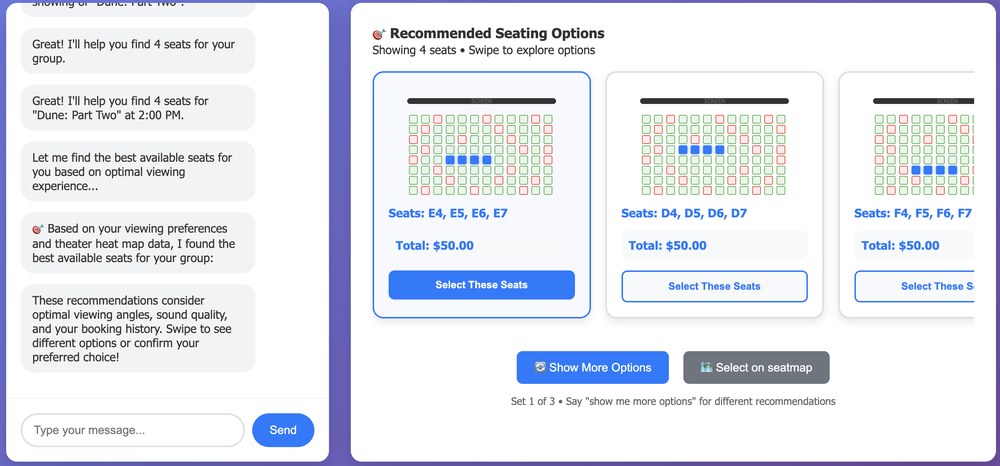
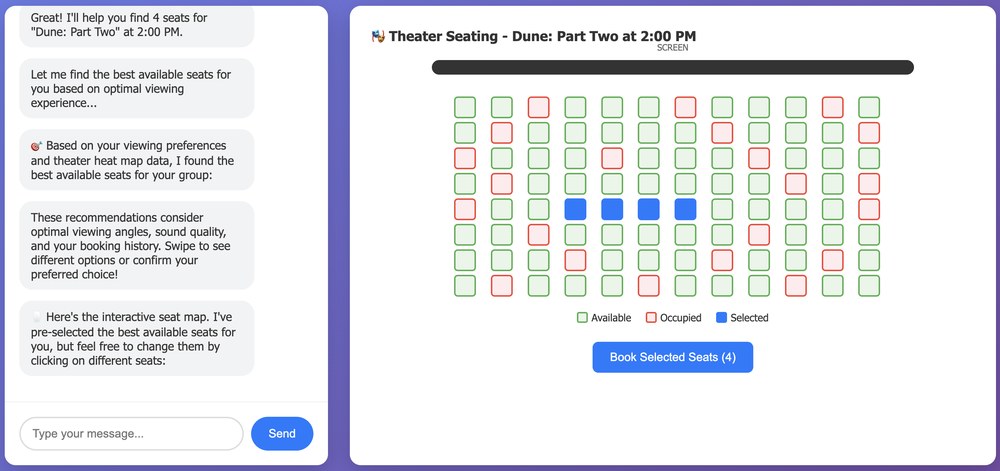
I built a conversational web prototype and ran an unmoderated study with 64 moviegoers, comparing AI-only seat picks against AI picks plus a seat map, with plenty of seats and with few left:
Prototype
Inventory level
Recommended seats
Seat map access
A
Plenty
✓
✗
B
Plenty
✓
✓
C
Few
✓
✗
D
Few
✓
✓
What we learned
The map is a safety net: with the AI's pick shown on a map, 72% bought exactly those seats.
People reject a black box: without the map, 68% rejected the experience and satisfaction fell from 4.44 to 2.64 out of 5.
People want the final say: about 1 in 4 changed their seats, no matter how good the pick was.
They expect the map to listen: people tried steering it by voice, like "Get us closer to the screen."
Part 3: Ticketmaster RITE testing
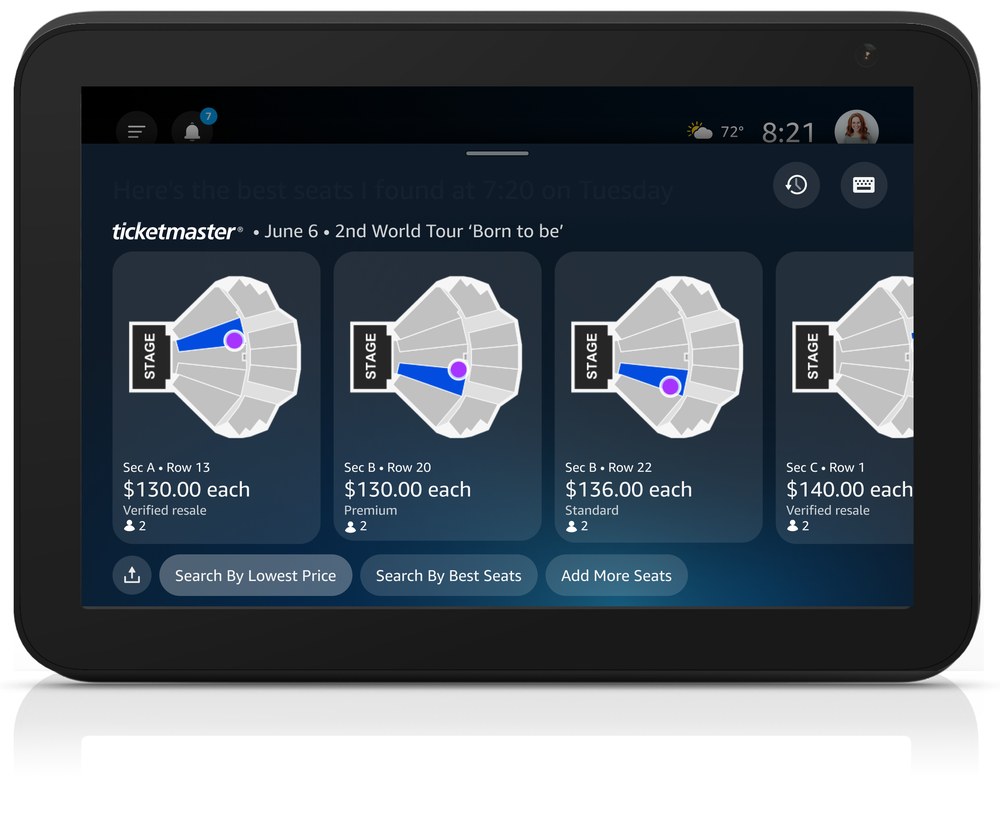
Three RITE cycles with 8 frequent event-goers on next-gen Alexa, focused on large stadium maps and live event seating.
What changed
Section dots caused "view anxiety": we added price-by-location overlays and a mid-range price sort.
Cart edits felt risky:half of participants feared losing held seats, so held seats now stay locked while adding more.
Voice steering needs visual feedback: "Show me sections closer to the stage" now instantly highlights the map.
The takeaway
People don't want AI to decide for them; they want AI to help them decide. Pairing a smart default with a visible, editable map is what earned their trust.
Design Process
Cross-Org Collaboration
I partnered with product, engineering, design systems, legal, business development, marketing and QA, and led regular syncs with Fandango and Ticketmaster on scope, data sharing and live inventory.
Key Decisions
01
Seat Recommendation Engine
A custom algorithm scores seats on view angle, distance, party size and past preferences, instead of relying on partner feeds that surface one pick and randomize the rest.
Pros
Consistent, high-quality picks across Fandango and Ticketmaster.
Cons
Complex scoring logic to build and maintain.
02
Interactive Seat Maps
A full venue map with the AI's picks highlighted: lightweight for movie theaters, guided for stadiums.
Pros
A visual safety net that drove 72% acceptance in testing.
Cons
Takes real screen space, and needs logic for words like "closer" or "better."
03
Group Integrity-First Allocation Logic
Seat selection keeps groups together in one row, even if the seats are slightly off-center.
Pros
Fixes a top frustration for group bookers.
Cons
Large parties in near-full venues can get weaker automated picks.
04
Unified Commerce Pattern & Architecture System
One interaction pattern for movies and live events, adapting the details to each.
Pros
A familiar flow for users and consistent logic for design and engineering.
Cons
Layouts had to scale from a 100-seat theater to a 60,000-seat stadium.
Final Design
Core Customer Experience
Recommendation engine
Behind the picks is a deterministic scoring system with a conversational fallback.
Priority order
Explicit requests win: "I need aisle seats" overrides everything else.
Past habits anchor the search, for example someone who picks aisle seats over 70% of the time.
Accessibility is a hard requirement, never a point adjustment.
New users start with center seats 60–75% back from the screen.
Seat scoring
To evaluate available inventory programmatically, seats are calculated against a multi-variable value matrix:
Feature
Criteria
Point
View quality
Angle from seat to center of screen is closest to 0° horizontal offset
(+1.5)
Optimal zone
Seat rows fall within the 60-75% distance back from screen
(+1.0)
Group Priority
Successfully satisfies an unbroken group block (e.g. 4-in-a-row)
(+2)
Side Bias
If center is full prioritize the Right Side over the Left Side.
(+0.5)
Privacy buffer
1 empty seat between taken seats is available
(+0.5)
Front Penalty
Seat is located in the front 15-30% of the venue's rows.
(-1.5)
Lonely Seat Penalty
When there is single seat sandwiched between 2 taken seats
(-2.0)
Tie-breaker rule: When two options yield equal scores, the engine selects the row closer to the back of the auditorium.
Conversational fallback
Explains every pick: "Center seats were full, so I found the next best option in row J."
Backs off when rejected: after two rejections, Alexa hands control back to the user.
Next Steps
Next, I'm exploring price tracking across vendors, an event-day companion with parking and entry info, and sending tickets to friends by voice.